
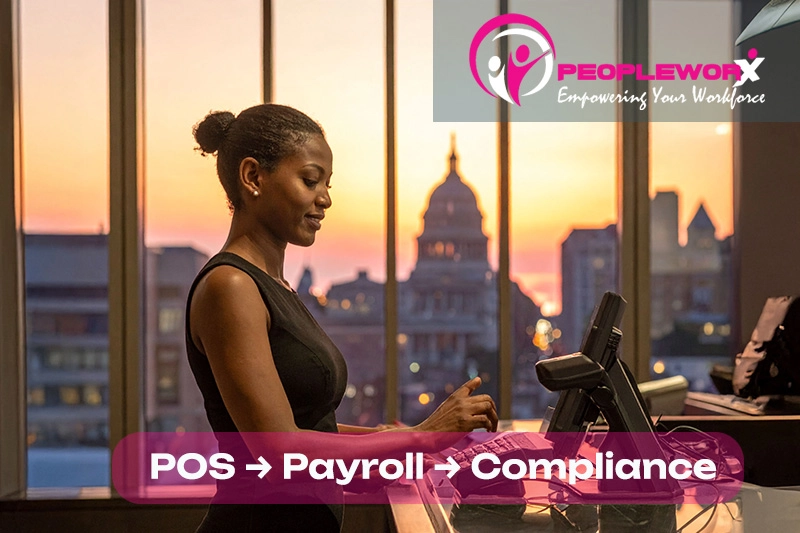
Opening a second retail location is often a milestone moment for a business owner. It signals that the concept works, customers are responding, and the business is ready to scale.
Yet growth in retail rarely happens without operational friction. As soon as multiple locations, larger teams, and higher transaction volumes enter the picture, the systems that once worked smoothly begin to show strain. One of the first areas where that strain appears is payroll.
Payroll in a single-store retail environment can be relatively straightforward. Managers know their employees personally, schedules are manageable, and time tracking often happens through simple systems or even manual adjustments. But when a business expands to multiple locations, that simplicity disappears quickly. Employees may work in different stores during the same pay period. Managers may approve timecards in different ways. Compensation structures such as tips, commissions, and bonuses add layers of complexity that are difficult to track across disconnected systems.
For many growing retailers, payroll stops being a routine administrative task and becomes an operational challenge that demands greater structure, better data flow, and stronger oversight.
Increasingly, retail leaders are addressing this challenge by rethinking how their point-of-sale (POS) systems, timekeeping tools, and payroll processes interact with one another.
Content
The Hidden Complexity of Retail Payroll
Retail payroll is inherently more complicated than many other industries because the workforce itself is dynamic. Schedules shift frequently based on customer demand. Employees often work part-time or across multiple roles. Pay structures may include hourly wages, commissions, tips, shift differentials, and bonuses tied to sales performance.
These variables create a steady flow of data that must be captured accurately before payroll can even begin.
When payroll processes rely on manual transfers of information between systems, such as exporting hours from a POS platform and re-entering them into payroll software in which the potential for error increases significantly. Even small discrepancies, such as a missed punch or an incorrectly coded shift, can lead to incorrect paychecks. Over time, those errors can damage employee trust and consume valuable management time in the form of payroll corrections and disputes.
The challenge becomes even more pronounced when retail organizations grow beyond a single location. At that point, payroll accuracy depends not only on capturing time correctly but also on ensuring consistency across different stores and management teams. Each additional location introduces new variables: additional supervisors approving timecards, different labor budgets, and potentially different tax jurisdictions.
Without systems that communicate effectively with one another, payroll teams are often forced to reconcile these differences manually. That reconciliation process is time-consuming and introduces unnecessary risk into what should be a predictable operational process.

Why POS and Payroll Systems Should Work Together
In retail environments, the POS system is often the operational hub of the business. It tracks sales, records transactions, and frequently captures employee activity during shifts. Yet in many organizations, that data remains isolated from the systems responsible for paying employees.
This separation creates what many operations leaders refer to as the “data gap” between store activity and payroll processing.
Integrating POS data with timekeeping and payroll systems helps close that gap by creating a continuous flow of workforce information from the sales floor to payroll processing. Instead of transferring hours manually, employee work data moves automatically between systems.
The operational impact of this integration extends beyond convenience. When payroll systems receive time and labor data directly from operational systems, accuracy improves significantly. Automated data transfers reduce the likelihood of transcription errors, and they create clearer audit trails that document how hours were worked and approved.
For managers, this integration often provides greater visibility into labor costs relative to sales performance. When labor data is connected to operational systems, it becomes easier to evaluate staffing decisions, identify scheduling inefficiencies, and ensure labor spending aligns with revenue patterns.
For HR and payroll professionals, the benefits are equally significant. Integrated systems simplify compliance tracking, reduce the number of manual adjustments required each pay period, and provide better documentation if wage-and-hour questions arise.
Compliance Risks in Retail Payroll
Retail businesses face a wide range of wage-and-hour regulations, many of which are evolving rapidly as states and municipalities implement new labor policies. Managing compliance effectively requires both accurate data and clear policies governing how employee time is recorded and approved.
One area where compliance risks frequently arise is overtime tracking. Retail managers may adjust schedules frequently to respond to changing demand, but those adjustments can inadvertently push employees over overtime thresholds if hours are not monitored carefully. When time tracking occurs in one system and payroll processing occurs in another, identifying those thresholds in advance becomes more difficult.
Tip credits represent another area of potential risk. In environments where employees receive tips, employers must ensure that total compensation meets or exceeds the applicable minimum wage after tips are accounted for. Accurate tracking of both base wages and tips is essential to maintain compliance with these requirements.
Paid leave policies also introduce complexity. Many jurisdictions now require employers to track sick leave accruals and maintain detailed records showing when employees become eligible for leave and how it is used. Without centralized systems that capture these details automatically, maintaining accurate records can become a significant administrative burden.
For growing retail organizations, the most effective compliance strategies often involve embedding payroll policies directly within workforce systems rather than relying on manual oversight alone. When systems enforce rules automatically, such as overtime alerts or leave accrual calculations, resulting in the organizations reduce the likelihood of accidental violations.

Operational Benefits Beyond Payroll
While payroll accuracy is often the initial driver for integration projects, retail organizations frequently discover additional benefits once workforce systems begin sharing data more effectively.
One of the most significant advantages is improved labor cost analysis. When payroll and operational data are connected, leadership teams gain clearer insights into how staffing decisions affect profitability. They can compare labor costs to revenue trends, evaluate the effectiveness of scheduling strategies, and identify opportunities to optimize staffing levels without compromising customer service.
Another benefit is greater consistency in management practices. Integrated systems often require standardized workflows for approving timecards, editing shifts, and processing payroll adjustments. Those workflows help ensure that policies are applied consistently across different stores and management teams.
For employees, accurate and predictable payroll processes contribute directly to trust and engagement. Few workplace issues create frustration as quickly as payroll errors. When employees know that their hours are recorded accurately and their paychecks reflect their work correctly, it reinforces confidence in the organization’s operational reliability.
Preparing Payroll Infrastructure for Retail Expansion
Retail businesses planning to expand into additional locations can take several steps to ensure their payroll infrastructure scales effectively alongside growth.
The first step is establishing standardized payroll policies before expansion occurs. Consistency in how time is recorded, approved, and processed helps reduce confusion as new stores and managers are added to the organization.
Another important consideration is ensuring that payroll systems are configured to support multiple locations and job roles. Retail employees frequently move between departments or stores, and payroll systems must be capable of tracking those variations accurately.
Organizations should also evaluate how workforce data flows between operational systems and payroll platforms. If time and attendance information requires manual transfers or adjustments, the risk of errors increases significantly as employee counts grow.
Finally, conducting periodic reviews of payroll processes can help identify emerging risks. As labor laws evolve and organizations expand into new jurisdictions, existing payroll configurations may require updates to remain compliant.

Payroll as a Strategic Component of Retail Operations
Payroll is often viewed primarily as a back-office function. Yet for retail organizations, the processes that govern how employees are paid have a direct impact on operational efficiency, compliance, and employee satisfaction.
When payroll systems operate in isolation from the rest of the business, managers spend valuable time resolving discrepancies and reconciling data. When those systems are integrated with operational tools such as POS platforms and workforce management systems, payroll becomes a more predictable and reliable process.
For growing retailers, that reliability matters. It allows leadership teams to focus less on administrative corrections and more on strategic priorities such as customer experience, merchandising, and brand expansion.
As retail organizations continue to scale, the connection between operational systems and payroll processes will only become more important. Businesses that establish integrated, well-structured workforce systems early in their growth cycle are better positioned to manage complexity and maintain compliance as they expand.
When workforce systems share data, payroll becomes predictable and compliant. Integrated payroll and HRIS tools reduce manual entry and give leaders better visibility into labor costs.
FAQs: D.C. retail payroll + POS sync
What is POS and payroll integration?
POS and payroll integration connects retail sales systems with workforce management and payroll platforms. This connection allows employee hours, tips, commissions, and other compensation data captured during daily operations to flow directly into payroll processing systems.
By eliminating manual data entry between systems, integration helps reduce payroll errors and improves the accuracy of employee compensation.
Why does payroll become more complex as retail businesses grow?
Payroll complexity increases when businesses add more employees, locations, and compensation structures. Retail teams frequently deal with variable schedules, multiple job roles, and compensation models that include tips or commissions. As organizations expand, managing these variables across different stores and supervisors requires stronger systems and more consistent processes.
How can POS integration help improve payroll accuracy?
When POS systems share data with payroll platforms, employee work activity recorded during shifts can be transferred automatically into payroll calculations. This automation reduces the need for manual data entry and creates a more reliable record of hours worked, helping payroll teams process accurate paychecks.
What compliance risks should retailers monitor in payroll processes?
Retail employers should pay close attention to wage-and-hour regulations, including overtime rules, minimum wage requirements, tip credit compliance, and paid leave policies. These regulations vary by jurisdiction and may change frequently, making it important to review payroll configurations regularly.
How can retail businesses evaluate whether their payroll processes are scalable?
One effective approach is conducting periodic HR or payroll risk assessments that review timekeeping workflows, compliance configurations, and payroll system integrations. These assessments help identify operational gaps that may create compliance risks or inefficiencies as the organization grows.
Are Your POS & Payroll Truly in Sync?
Fast growth doesn’t have to mean payroll risk. Take our 1-minute HR Risk Assessment to spot gaps in timekeeping, tip credits, multi-state taxes, and wage compliance. Get a retail risk scorecard and quick fixes backed by PeopleWorX technology and expert support.
Audit My HR Risk →If you need help with workforce management, please contact PeopleWorX at 240-699-0060 | 1-888-929-2729 or email us at HR@peopleworx.io