

Payroll is one of the few business processes that touches every employee, every pay period, and almost every compliance obligation tied to work. That’s why payroll problems rarely stay small. A missed paycheck becomes a trust issue. A miscalculated overtime rate becomes a wage-and-hour risk. A late tax filing becomes a financial penalty and, in some cases, an audit trail you don’t want.
For many small and mid-sized businesses, the push toward payroll automation starts as a practical decision: “We’re spending too much time on payroll.” That’s real. But it’s not the whole story. The strongest reason to modernize payroll is that an automated payroll system that is implemented correctly that acts as a control system. It protects accuracy, enforces consistency, strengthens documentation, and reduces the operational friction that grows as a business hires more people, expands locations, adds pay types, or operates across state lines.
The goal of this guide is to help business owners and HR/payroll leaders think about automation with more maturity than “time saved.” We’ll explore what automated payroll systems really do, where they reduce risk (and where they can quietly increase it), and how to adopt them in a way that supports both compliance and the employee experience.
Content
- What an automated payroll system actually is (and what it is not)
- Why payroll automation is really a risk management decision
- The “hidden” payroll problem: configuration is the work
- The employee experience: why payroll is never “just payroll”
- Where payroll automation can create new problems (and how to avoid them)
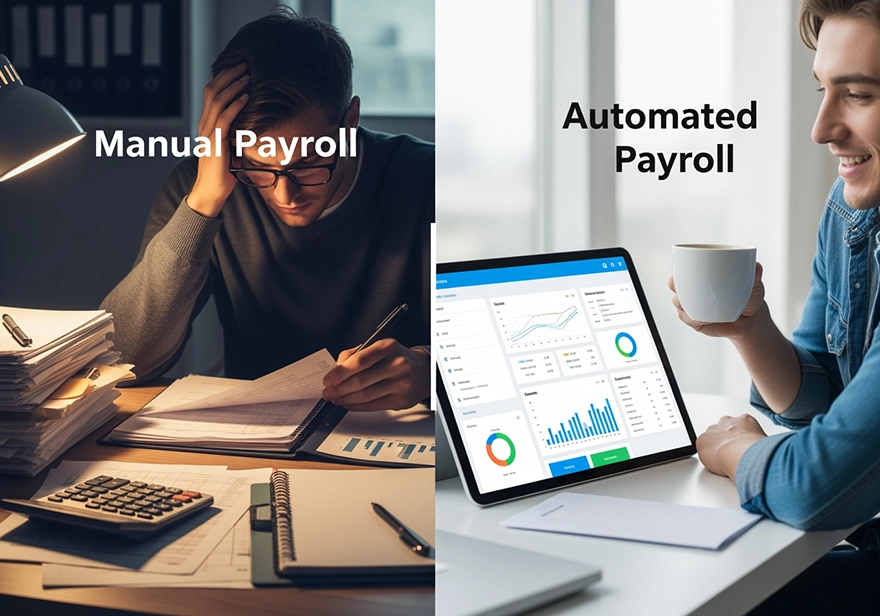
- Manual payroll vs. automated payroll: how to know when it’s time
- A smarter implementation plan that supports accuracy and credibility
- Payroll and HR risk are inseparable: a quick diagnostic mindset
- Final thought: payroll automation is about professionalism, not just efficiency
- Frequently Asked Questions (FAQ)
What an automated payroll system actually is (and what it is not)
At its simplest, an automated payroll system is software that takes inputs like hours, pay rates, deductions, tax rules and converts them into paychecks, tax withholdings, and records. But the meaningful distinction is how it does this: it turns payroll into a repeatable workflow, governed by documented rules, with a trail of approvals and changes you can review.
That matters because the real enemy of payroll accuracy isn’t complexity. It’s inconsistency.
In a manual payroll environment comprising spreadsheets, emailed timecards, ad hoc adjustments, “we always do it this way” where in the process often depends on one person’s experience and memory. That can work until it doesn’t. When the one person is out, when a location manager submits hours late, when a new state withholding rule applies, or when a policy changes and nobody updates the spreadsheet template, errors appear. Not because anyone is careless, but because the system was never designed to scale.
Automation is not magic. It won’t fix a broken timekeeping process on its own. It won’t make managers approve time on time. And it won’t prevent pay policy confusion if leadership hasn’t clarified how overtime, bonuses, shift differentials, or reimbursements are supposed to work.
What automation can do is enforce consistency once your rules are clear. It can reduce duplicate data entry, minimize the “copy/paste” risk, and build the kind of documentation that makes payroll defensible.
Why payroll automation is really a risk management decision
Most SMBs don’t talk about payroll as “risk.” They talk about it as “getting people paid.” But payroll sits at the intersection of four areas where businesses are most exposed:
1) Wage-and-hour compliance.
Overtime rules, compensable time, rounding practices, meal/break compliance (in certain states), and exempt vs. non-exempt classifications can all turn into costly claims if mismanaged. Payroll is where those exposures show up.
2) Tax compliance.
Federal, state, and local withholding requirements are not static. Filing schedules vary. New work locations create new obligations. A system that is well-maintained reduces error; a system that is poorly configured can create a false sense of security.
3) Employee trust and retention.
Pay accuracy is culture. Employees may forgive a lot including but not limited to busy weeks, change, imperfect schedules. But they rarely forgive repeated pay issues. Once employees start checking every pay stub because they don’t trust the process, you’ve created an organizational tax: more disputes, more admin time, more frustration.
4) Operational controls and security.
Payroll is sensitive data. Who can see pay rates? Who can edit time? Who can change direct deposit? Who can override deductions? Without clear controls, payroll becomes a quiet security and fraud risk.
When leaders view payroll automation through this lens, the conversation changes. It’s no longer “Do we want software?” It becomes “Do we want payroll to be stable, scalable, and defensible?”

The “hidden” payroll problem: configuration is the work
One of the most common misconceptions about payroll automation is the idea that automation eliminates payroll work. In reality, automation shifts the work upstream.
Manual payroll is effort-heavy every pay cycle: collect time, clean time, calculate, double-check, fix, re-check, and hope nothing gets missed. Automated payroll reduces that cycle effort, but only if your rules are correct. That means the real work becomes configuration, governance, and review.
Think about the payroll rules your business actually lives by:
- How do you define overtime for different job types?
- What happens when an employee works at two locations in one pay period?
- How do shift differentials apply? What about weekend premiums?
- How are tips handled? Commissions? Non-discretionary bonuses?
- What deductions apply, and how are eligibility and effective dates managed?
- What is your policy on rounding time, editing punches, and approvals?
- How do you handle retro pay, missed punches, or corrections?
These are HR/payroll policy questions as much as they are “payroll processing” questions. When automation is introduced, it forces a business to clarify what has often been informal or inconsistent.
That is a good thing because clarity reduces disputes and risk but it can be uncomfortable. Businesses that succeed with payroll automation treat implementation as a policy and process project, not simply a software rollout.

The employee experience: why payroll is never “just payroll”
In small businesses, payroll isn’t a back-office function. It’s personal.
Employees experience payroll as a promise: “If I show up and do the work, you will pay me accurately and on time.” When payroll is reliable, employees rarely think about it. When it’s not, everything else becomes harder for instance engagement, retention, scheduling, even performance conversations. People don’t hear coaching the same way when they’re worried about whether their paycheck is right.
Automation supports the employee experience in three meaningful ways:
Transparency. Employees can access pay stubs, tax forms, and balances without having to track down HR or the owner. That reduces friction and creates a feeling of professionalism.
Predictability. When payroll rules are consistent, pay becomes consistent. Employees don’t feel like they have to “watch” the company.
Fewer disputes. When time tracking, approvals, and payroll processing are standardized, many pay issues are prevented before payday.
This matters because pay disputes are rarely isolated events. They are often a symptom of unclear rules, inconsistent manager practices, or a lack of controls. Payroll automation gives you the structure to fix the root causes, not just the symptoms.
Where payroll automation can create new problems (and how to avoid them)
Payroll automation can fail quietly. That’s what makes it risky. A spreadsheet error may be obvious because you’re manually touching everything. A system error can go undetected because it appears “official.”
Here are the most common pitfalls SMBs run into, and the mindset shift that prevents them.
Automating a messy timekeeping process
If time is inconsistent, payroll will be consistently wrong. The fix is not “better payroll.” The fix is a stronger timekeeping and approvals discipline. Automation works best when time entry rules are clear, expectations are consistent, and managers understand their approval responsibility.
Relying on defaults
Default overtime rules, default rounding settings, default job codes, however, defaults rarely reflect how your business actually pays. Payroll automation requires intentional configuration and periodic review. Leaders should assume that “default” means “placeholder.”
Treating overrides as normal
Manual edits will always exist, as well as, missed punches happen, corrections happen. The issue is when overrides become routine and unmanaged. That’s when audit trails weaken and disputes increase. Healthy payroll operations have a clear approach: who can override, why, and how it’s documented.
Skipping documentation
Payroll should not live in one person’s head. A scalable business has written pay rules, written workflows, and a known review process. Automation makes this easier but only if the organization commits to clarity.
“Set it and forget it” thinking
Payroll evolves. Roles change. Benefits change. Locations change. States change. If your business changes faster than your payroll rules, your system will drift out of alignment. The answer is simple: schedule a quarterly payroll health check and treat payroll governance as ongoing maintenance, not a one-time event.
Manual payroll vs. automated payroll: how to know when it’s time
There isn’t a single “right size” for automation. Some businesses need it at 10 employees; others limp along until 50 and then suddenly break. The better test is not headcount but yet it’s complexity and risk.
If you’re experiencing any of the following, automation is usually the right move:
- Payroll is taking longer each cycle, and “payroll week” disrupts other priorities.
- You’re making repeated corrections or dealing with recurring paycheck questions.
- You have hourly employees, overtime, multiple pay rates, or shift premiums.
- Managers submit time late or inconsistently, creating last-minute scrambles.
- You operate in multiple locations or states, or plan to expand.
- Payroll knowledge is concentrated in one person, creating key-person risk.
When those conditions exist, payroll stops being an administrative task and becomes an operational constraint. Automation is how businesses remove that constraint without compromising compliance.

A smarter implementation plan that supports accuracy and credibility
The most successful payroll automation rollouts follow a simple principle: don’t implement software but instead implement a controlled process.
Step 1: Define “pay rules” before you configure anything
Before a system can calculate payroll correctly, the business must be able to articulate how pay is supposed to work. That means documenting pay types, overtime rules, differentials, reimbursement practices, and how bonuses/commissions are treated. It also means clarifying who approves time and what “approval” actually means.
This step is where HR expertise matters most. A system can calculate, but it can’t resolve ambiguous policy.
Step 2: Strengthen timekeeping discipline first
Timekeeping is the foundation. If your organization has informal time edits, inconsistent rounding practices, or unclear manager approval expectations, automation will not solve those issues but it will simply process them faster.
A good practice is to standardize timekeeping cutoffs, require manager approvals by a known deadline, and establish a consistent correction workflow that creates a record.
Step 3: Run parallel payroll and reconcile
Parallel payroll is one of the most overlooked steps in SMB rollouts and one of the most important. Running one payroll cycle in parallel allows you to compare outcomes (gross pay, overtime, deductions) before employees feel the impact. This is where configuration issues surface early, when they are easiest to fix.
Step 4: Launch with employee self-service that’s simple, not overwhelming
Employees don’t need to become payroll experts. They need a clear way to access pay stubs, update personal details where permitted, and understand who to contact with questions. A short guide and a consistent support process prevent confusion and reduce noise in HR.
Step 5: Create a quarterly payroll health check
Every quarter, review what changed:
- New roles or pay types
- Overtime trends and manual edits
- Benefit changes and deduction updates
- Location changes that affect taxes or policies
- Access permissions and audit trails
This is not busywork. It’s the process that keeps payroll reliable as the business grows.
Payroll and HR risk are inseparable: a quick diagnostic mindset
Payroll issues often originate in HR practices: classification decisions, unclear pay policies, inconsistent time approval, or lack of manager training. That’s why payroll automation is most powerful when it is paired with a broader HR discipline.
If you want a practical way to identify where your business may be exposed especially around wage-and-hour, documentation, and process consistency thus, take the HR Risk Assessment. It’s designed to surface common issues that create payroll problems downstream, so leaders can prioritize fixes before they become costly.
And if you’re looking for HR guidance that stays practical specifically how to document policies, strengthen manager practices, and reduce workplace risk while exploring the HR resource hub can help you frame payroll as part of a stronger workforce foundation.
(Those resources are meant to educate and support and not to “sell” a system.)
Final thought: payroll automation is about professionalism, not just efficiency
Small businesses grow by doing more with what they have. That often means the same people are wearing multiple hats let’s say owner, operations, HR, payroll, finance. Automation isn’t about replacing those people. It’s about reducing the risk and stress that comes from a process that’s too fragile.
The most credible organizations regardless of size, share one trait: employees trust the basics. Payroll is one of those basics. When it is consistent, documented, and defensible, it frees leaders to focus on growth. When it is chaotic, it quietly drains time, morale, and credibility.
A well-implemented automated payroll system is not merely a tool. It’s a decision to run payroll like a scalable business in which one that protects employees, supports managers, and reduces risk as the workforce grows.
If payroll is taking too long, creating rework, or leaving you unsure what’s “right,” it may be time for a system that standardizes the process and reduces manual fixes.
Frequently Asked Questions (FAQ)
Q1: What size of business benefits most from automated payroll?
A1: Small and medium businesses (even startups) benefit hugely from payroll automation. If you’re spending hours every pay cycle on manual payroll, automation can save time, reduce errors, and grow with you as your team expands.
Q2: How secure is automated payroll?
A2: Very secure. Modern payroll systems use encryption, role-based access control, secure backups, and audit trails. These safeguards help protect sensitive employee and financial data.
Q4: Do my employees need to learn a new system?
A4: Not necessarily. Most payroll automation platforms come with a self-service portal where employees can view pay stubs and tax documents. We provide onboarding and support so the transition is smooth
Q5: How long does it take to implement an automated payroll system?
A5: Implementation time varies, typically between a few days to a few weeks, depending on the complexity of your existing payroll data, integrations, and workflows.
Q6: Is the upfront cost worth it?
A6: Yes. While there’s an initial investment, the long-term benefits, reduced labor costs, fewer errors, compliance protection, and scalability often outweigh the cost. Many small businesses break even quickly.
Q7: Can automated payroll scale with my business?
A7: Definitely. Automation makes adding new employees, locations, or pay structures far simpler. As your business grows, your payroll system can adapt without drastically increasing administrative burden.
Is Your Payroll Automation Creating Hidden HR Risk?
Automated payroll systems make it easier for small businesses to run payroll accurately and scale faster, but HR risk can still slip through the cracks. Pay rules, worker classification, onboarding, and policy gaps can create compliance issues even with great tech. Take our HR Risk Assessment to quickly pinpoint exposure and get clear next steps so your payroll automation stays truly smart and scalable.
Start With an HR Risk Scan →If you need help with workforce management, please contact PeopleWorX at 240-699-0060 | 1-888-929-2729 or email us at HR@peopleworx.io